Your PDFs, notes, and study tools, together. Write beside the page, search scanned slides, and turn what you read into quizzes and answers. Connect your own AI, Anki, and AMBOSS accounts when you want more.
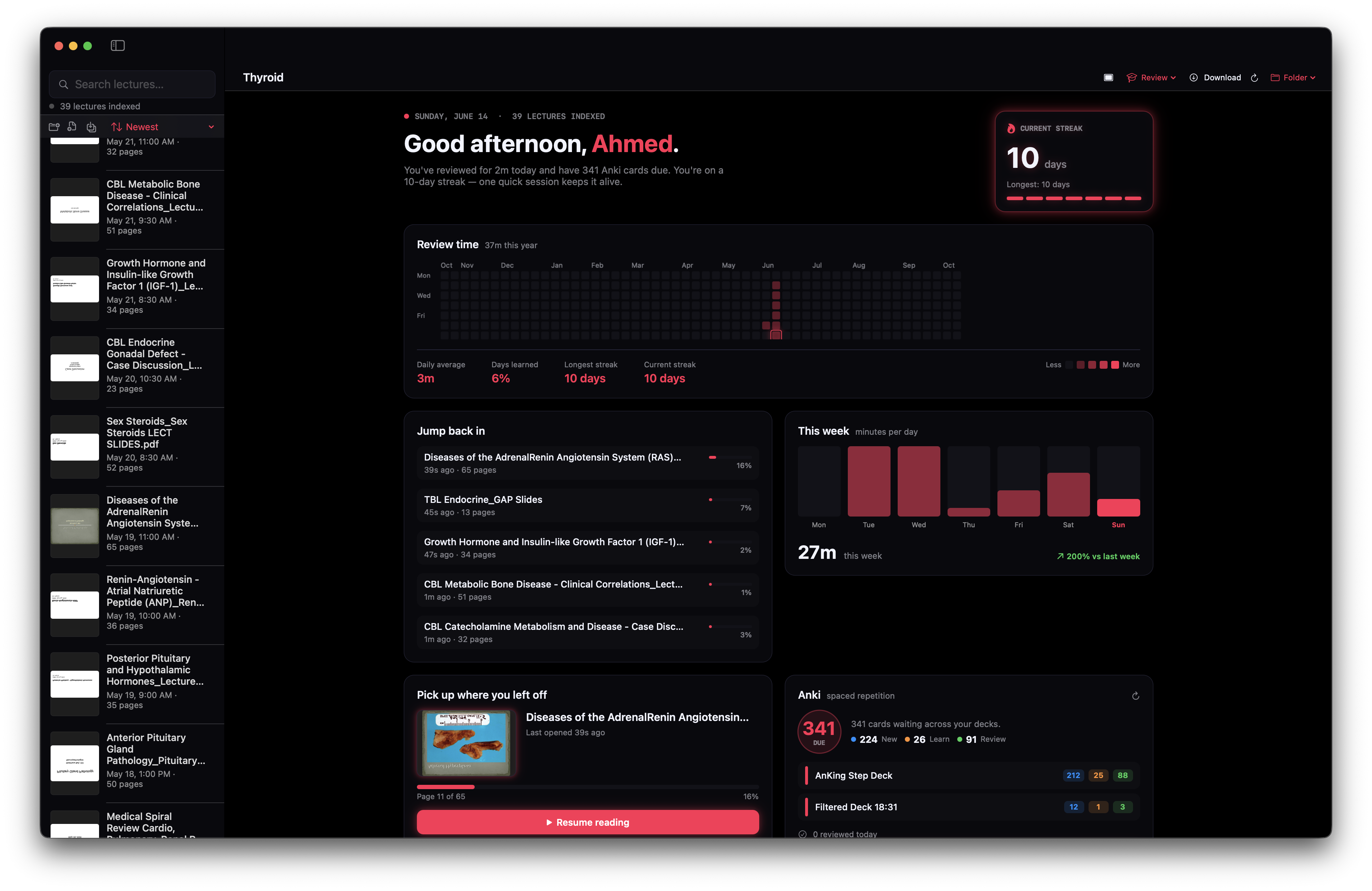
A few moments from a real Notes++ study session. Choose a chapter to see the tools at work.
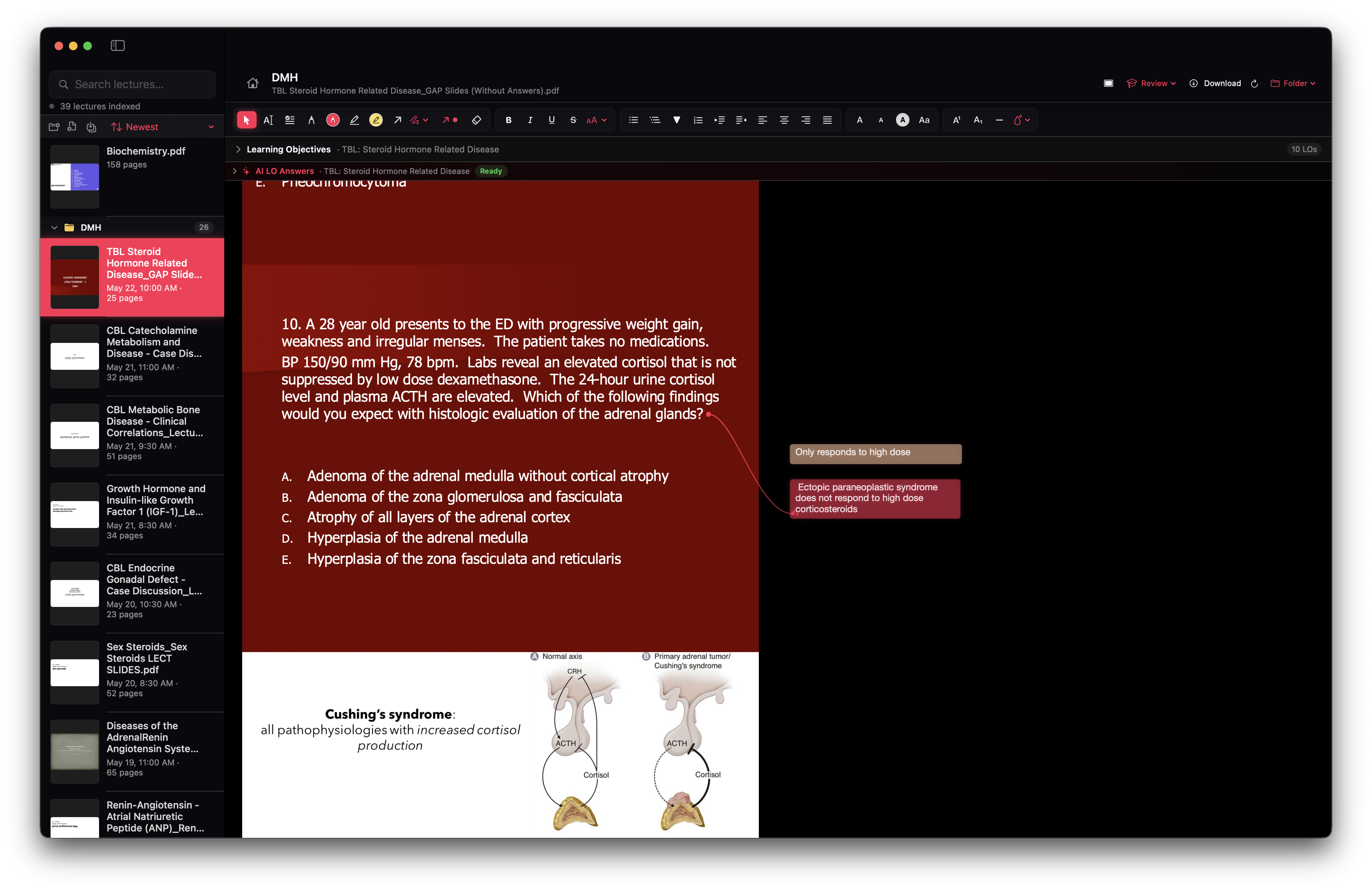
Keep your own notes beside the slide and move them where they make sense.
Recorded in Notes++ using a medical lecture. Bring your own documents for any subject. AI and third-party integrations are optional. Clips have no audio.
Highlight, draw, and write alongside any slide or PDF. Your annotations stay pinned to the page — and to the idea — so revising means reading your own mind, not reformatting it.
Find text even when it is part of an image. Notes++ indexes scanned PDF pages with OCR, so a search can lead you straight back to the slide you need.
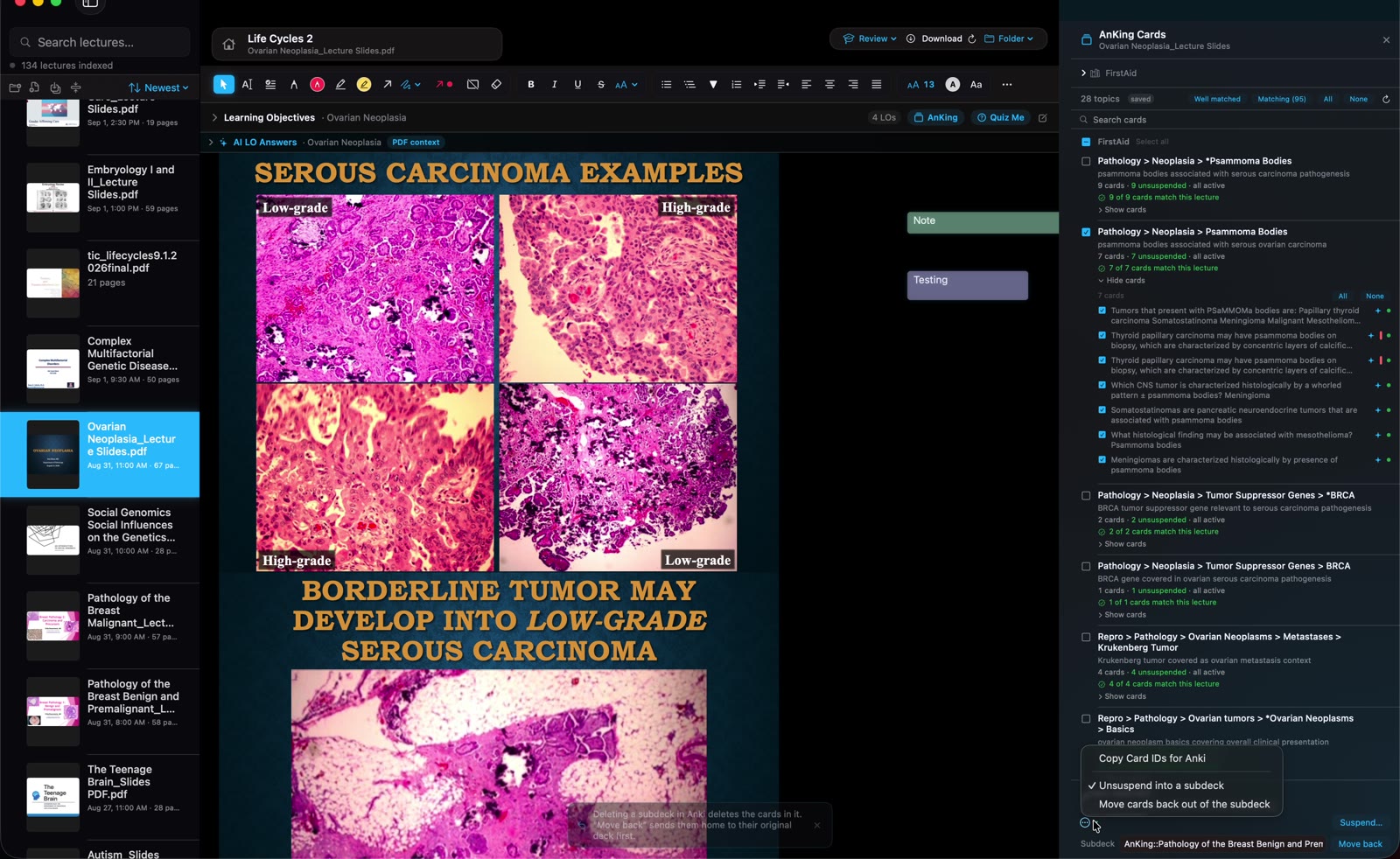
Find related cards in your personal Anki collection, see what is due, and look up medical topics in the AMBOSS panel. Both integrations are optional; use the accounts and collections you already have.
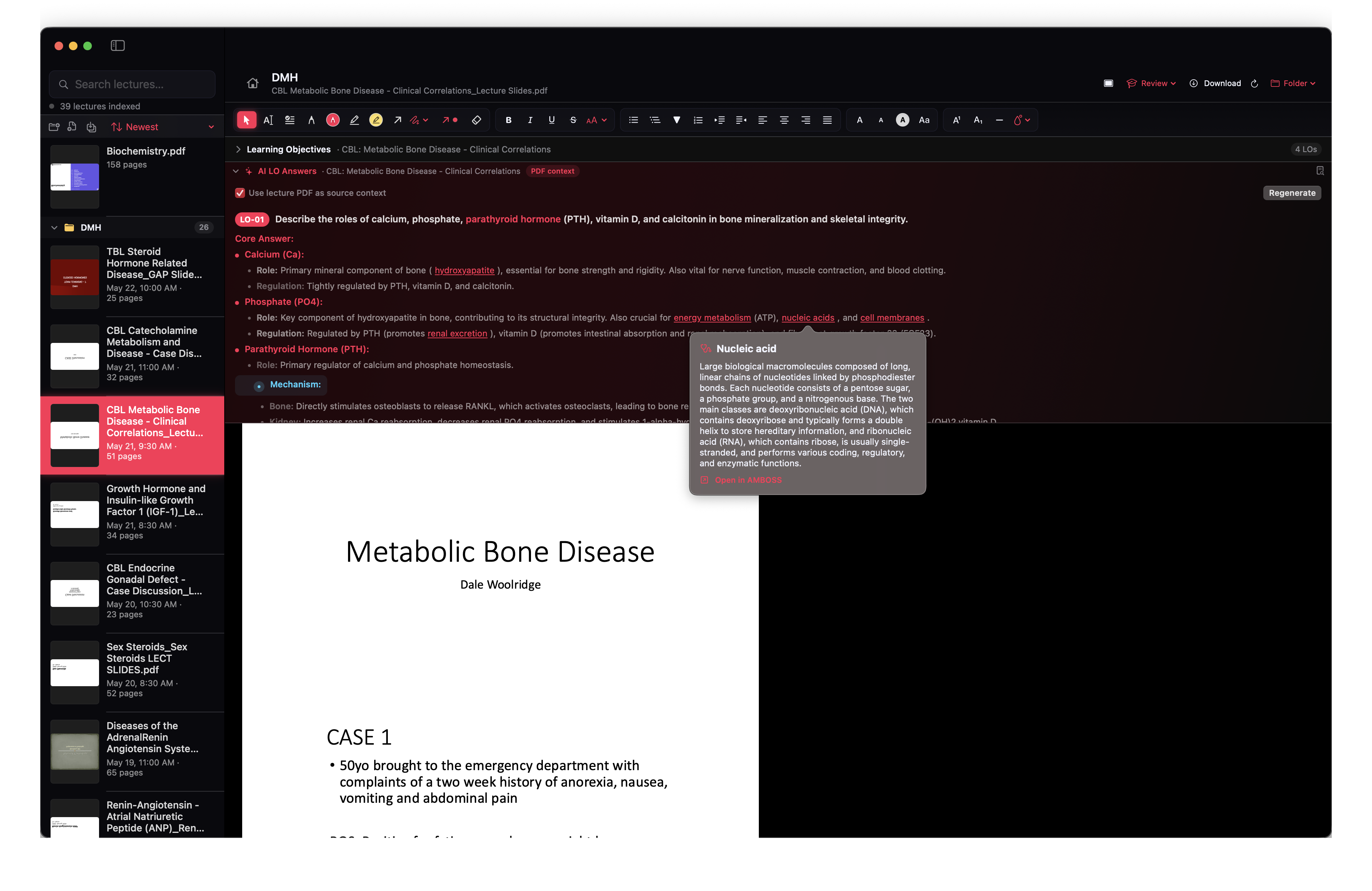
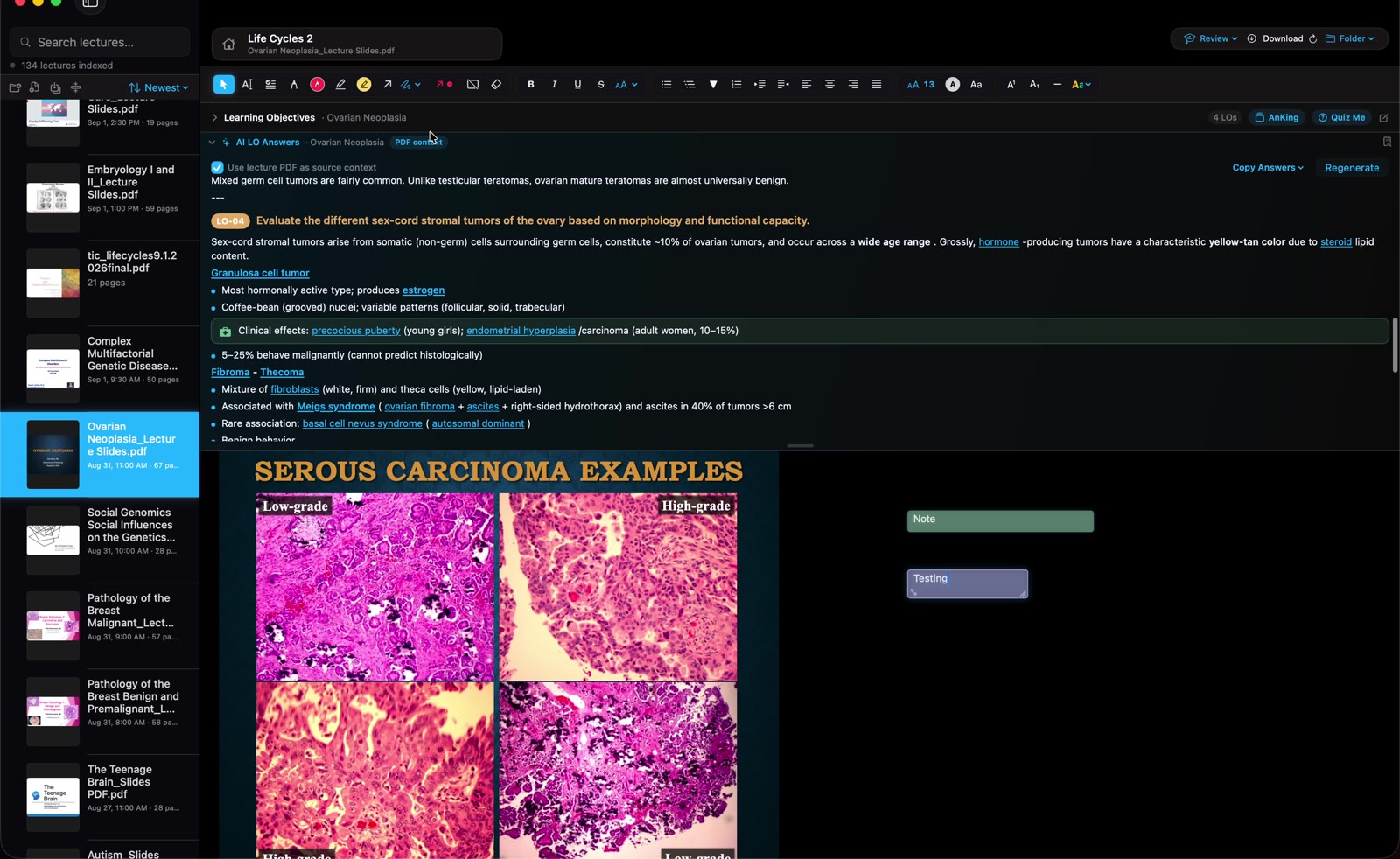
Add learning objectives and generate answers from your documents. Follow the references back to the page, then practise with multiple-choice quizzes and explanations.
AI sends relevant text and images to your chosen provider. Usage charges may apply; check important answers against the source.

When finals hit, switch on the toolkit. Collected highlights and flagged slides gather into one review sheet — kept completely separate from your everyday notes, so day-to-day studying never changes.
Reading is the start. Notes++ wraps your library in recall tools that keep what you learn from leaking out.
Connect Anki through AnkiConnect to see due cards, review, and find flashcards related to your lecture.
A little fire every day. Track your longest streak and keep the momentum alive.
Generate multiple-choice questions for the open lecture, guided by its learning objectives. Each one can jump you straight to the slide it came from.
Open a second lecture side-by-side in a lightweight reader — compare tables or keep an overview deck in view while you annotate.
One search bar for your library. Find matching pages and notes, filter by folder, and use whole-word search.
Use your own Gemini or OpenAI key to generate answers from your PDFs, with source references you can check.
A year of progress at a glance — every session counts toward the streak.
From the first read to the last review. Explore what is included in Notes++.
No school account is required. Read, search, organize, and annotate without AI. To generate answers or quizzes, add your own Gemini or OpenAI API key. API usage is billed by your provider; a consumer chatbot subscription does not necessarily include API credits.
Anki integration uses the Anki desktop app with AnkiConnect installed and running on your Mac. AMBOSS uses your own account and may require a paid subscription. Neither service nor a flashcard collection is bundled with Notes++.
Notes++ is a Mac app with builds for Apple Silicon and Intel, targeting macOS 12 or later. PDFs are the primary format. PowerPoint text can be indexed; rendering PowerPoint as a PDF requires a separate LibreOffice installation. A Windows version is not available.
Core document reading, notes, search, and OCR run locally. AI actions send relevant text and images to the provider you select. AMBOSS lookups use AMBOSS, and Anki connects to the app running on your Mac. Exports and backups go wherever you choose, including any cloud-synced folders you use.
The public preview has no app analytics configured. This website uses Cloudflare hosting and loads fonts from Google Fonts. If you join the launch list, your email is sent to Kit to manage launch updates. You can unsubscribe from those emails.
A one-time app purchase is planned. The final price and checkout will be announced with the public release. AI usage and optional third-party subscriptions are separate. Join the waitlist for launch and download details.
The public Mac release is in preparation. Join the list for launch news, the final one-time price, and download details.
Optional AI usage and third-party subscriptions are separate from the app purchase. What do I need?